
Stap Wireless
Best Accessibility Tools for Individuals with Speech Disabilities
Aug
What are the Best Accessibility Tools for Individuals with Speech Disabilities? People with speech disabilities may face challenges when communicating, using digital devices, making phone calls, or interacting with websites and other technology. Fortunately, modern assistive technology offers a wide range of solutions designed to make communication and digital access easier.
These accessibility tools range from simple communication boards and adaptive keyboards to speech-generating devices, eye-tracking systems, voice recognition software, and AI-powered technologies. The right option depends on a person’s communication needs, motor abilities, environment, and level of independence.
What Is Assistive Technology for Speech Disabilities?
Assistive technology (AT) refers to devices, software, and systems that help people perform tasks that may otherwise be difficult because of a disability. For people with speech disabilities, AT can support communication, education, employment, and everyday interactions.
What Is the Difference Between High-Tech and Low-Tech Solutions?
Low-tech solutions include picture boards, communication cards, alphabet boards, and printed communication books. They are generally affordable, easy to maintain, and useful when electronic devices are unavailable.
High-tech solutions include tablets with AAC applications, dedicated speech-generating devices, eye-tracking systems, and specialized communication software. These solutions can offer more personalization and advanced features.
Why Is the Web Accessibility Initiative Important?
The Web Accessibility Initiative (WAI), developed by the World Wide Web Consortium (W3C), provides guidance for making digital content more accessible. Accessible websites should support people who use assistive technologies and alternative methods of interaction.
Which Accessibility Tools Help People With Speech Disabilities?
Several types of technology can help people communicate more effectively.
How Do AAC Devices Support Communication?
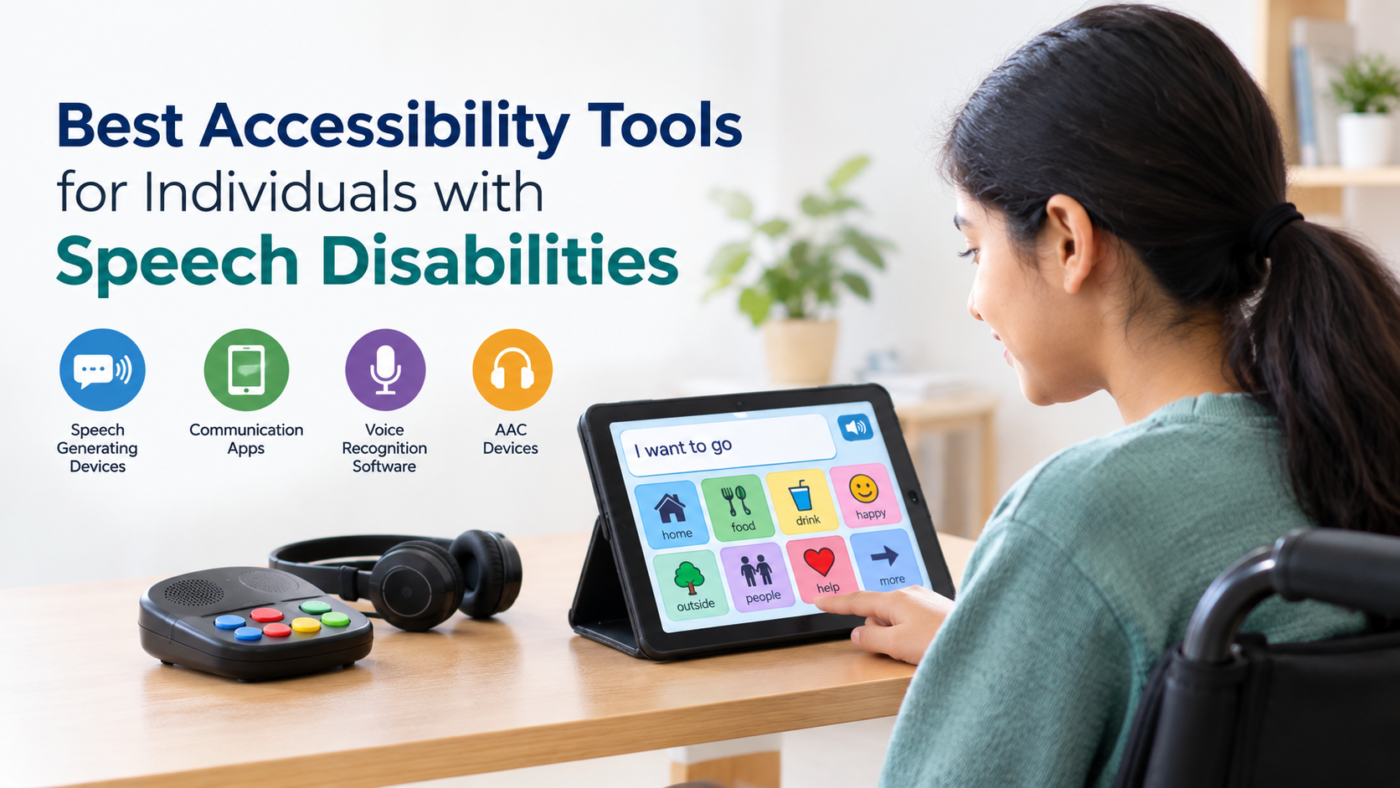
Augmentative and Alternative Communication (AAC) devices allow people to communicate without relying entirely on natural speech. Users may select letters, words, symbols, or pictures to create messages.
AAC can be useful for people who have limited speech, inconsistent speech, or no functional speech. Some systems are simple picture-based tools, while others use sophisticated software and customizable interfaces.
How Do Speech-Generating Devices Work?
Speech-generating devices (SGDs) convert selected words, symbols, pictures, or typed text into spoken output. Users can build sentences and communicate through digitized or synthesized voices.
Many modern systems allow users to customize vocabulary, save frequently used phrases, and select different voice characteristics. These features can make communication more personal and efficient.
Can Electronic Fluency Devices Help With Stuttering?
Electronic fluency devices may provide altered auditory feedback to help some individuals manage stuttering. Depending on the device, the user may hear their speech with changes in timing or pitch.
These devices are not suitable for everyone, so professional assessment and guidance can help determine whether they are appropriate.
Which Accessibility Tools Help With Motor and Physical Limitations?
Speech disabilities can sometimes occur alongside physical or motor limitations. In such situations, communication technology may need to support hands-free operation.
What Is a Sip-and-Puff System?
A sip-and-puff system is an adaptive input device operated through breath. The user performs different types of sips or puffs through a tube, and the system interprets these actions as commands.
It can be used to control a computer, wheelchair, communication device, or other technology. This can be particularly helpful for people who have limited hand or arm movement.
Can Eye Tracking Replace a Mouse?
Yes. Eye-tracking systems use specialized cameras or sensors to detect eye movements. Users can move an on-screen cursor, select buttons, type messages, or operate communication software using their eyes.
For people who cannot comfortably use a traditional keyboard or mouse, eye tracking can provide a valuable hands-free method of digital interaction.
How Does Voice Recognition Software Help?
Voice recognition and dictation software can convert spoken language into written text. This can help users who find typing physically difficult or who need an alternative way to enter information.
Modern systems can also support commands for navigating applications, writing messages, and controlling compatible devices.
How Is AI Improving Accessibility Tools?
Artificial intelligence is creating new possibilities for communication and accessibility.
What Is Real-Time Captioning?
Real-time captioning converts spoken conversations into text with minimal delay. It can support communication in classrooms, meetings, video calls, and public environments.
For individuals who have difficulty hearing or understanding spoken communication, captions can also provide an additional visual communication channel.
Can AI Recognize Non-Standard Speech?
Yes. Traditional speech recognition systems may struggle with speech affected by conditions such as dysarthria or other speech differences. AI research is increasingly focused on recognizing a wider variety of speech patterns.
Improved recognition can help users communicate with computers, dictate text, operate smart devices, and access digital services more independently.
What Are Brain-Computer Interfaces?
Brain-computer interfaces (BCIs) are emerging technologies that attempt to translate neural activity into commands or communication. Research into neural implants and other BCI systems is exploring ways to help people with severe communication limitations.
These technologies are still developing and are not a replacement for established AAC solutions in most everyday situations.
How Can Businesses and Educators Improve Accessibility?
Accessibility should not depend entirely on an individual owning specialized technology. Businesses, schools, and other organizations can make their environments easier to use.
What Does Inclusive Website Design Involve?
Accessible websites should use clear navigation, descriptive labels, keyboard-friendly controls, readable text, appropriate color contrast, and compatibility with assistive technologies.
Website owners should also avoid relying exclusively on audio or speech-based interactions. Providing text alternatives can make digital information easier for people with different communication needs to access.
How Can Assistive Technology Support Education and Work?
In education, accessibility tools can help students participate in lessons, complete assignments, communicate with teachers, and interact with classmates. In workplaces, they can support meetings, written communication, customer interactions, and computer-based tasks.
Organizations can improve inclusion by offering reasonable accommodations and ensuring that digital platforms work with commonly used assistive technologies.
How Should You Choose the Right Accessibility Tool?
There is no single solution that works for everyone. The best choice depends on the person’s speech abilities, motor skills, cognitive needs, communication preferences, budget, and daily environment.
A speech-language pathologist, occupational therapist, accessibility specialist, or other qualified professional can help assess requirements and recommend suitable options. It is also useful to test a device or application before making a long-term commitment.
Conclusion
The Best Accessibility Tools for Individuals with Speech Disabilities can make communication and digital interaction more accessible, independent, and practical. From AAC systems and speech-generating devices to eye tracking, sip-and-puff controls, and AI-powered recognition, today’s technology offers options for many different needs.
The most effective approach is to focus on the individual’s abilities and goals rather than choosing technology based only on its features. With appropriate assessment, accessible digital environments, and the right combination of accessibility tools, people with speech disabilities can participate more confidently in education, employment, social activities, and everyday communication.
Frequently Asked Questions
How do speech-generating devices work?
These devices translate selected words, pictures, or typed text into digitized or synthesized speech, allowing users to choose specific voices such as adult, child, or regional accents.
What is a sip-and-puff system?
A sip-and-puff system is an accessibility tool controlled by breath. It recognizes sips or puffs into a straw and translates them into commands such as mouse clicks or keyboard actions.
Can I browse the web using only my eyes?
Yes. Eye-tracking systems use specialized cameras to observe eye movements, allowing users to operate on-screen controls, select keys, and control a cursor without using their hands.
What are the benefits of AI for speech disabilities?
AI can recognize non-standard speech patterns, provide rapid transcription, and support emerging technologies that translate neural activity into communication. These developments may expand communication options for people with significant speech limitations.
How does a speech-to-speech relay service work?
A speech-to-speech relay service uses trained communication assistants to help relay messages during telephone conversations. The assistant may repeat or clarify a person’s spoken message so the other participant can understand it.
