
Uncategorized
The Importance of Assistive Devices in Schools and Workplaces
Oct
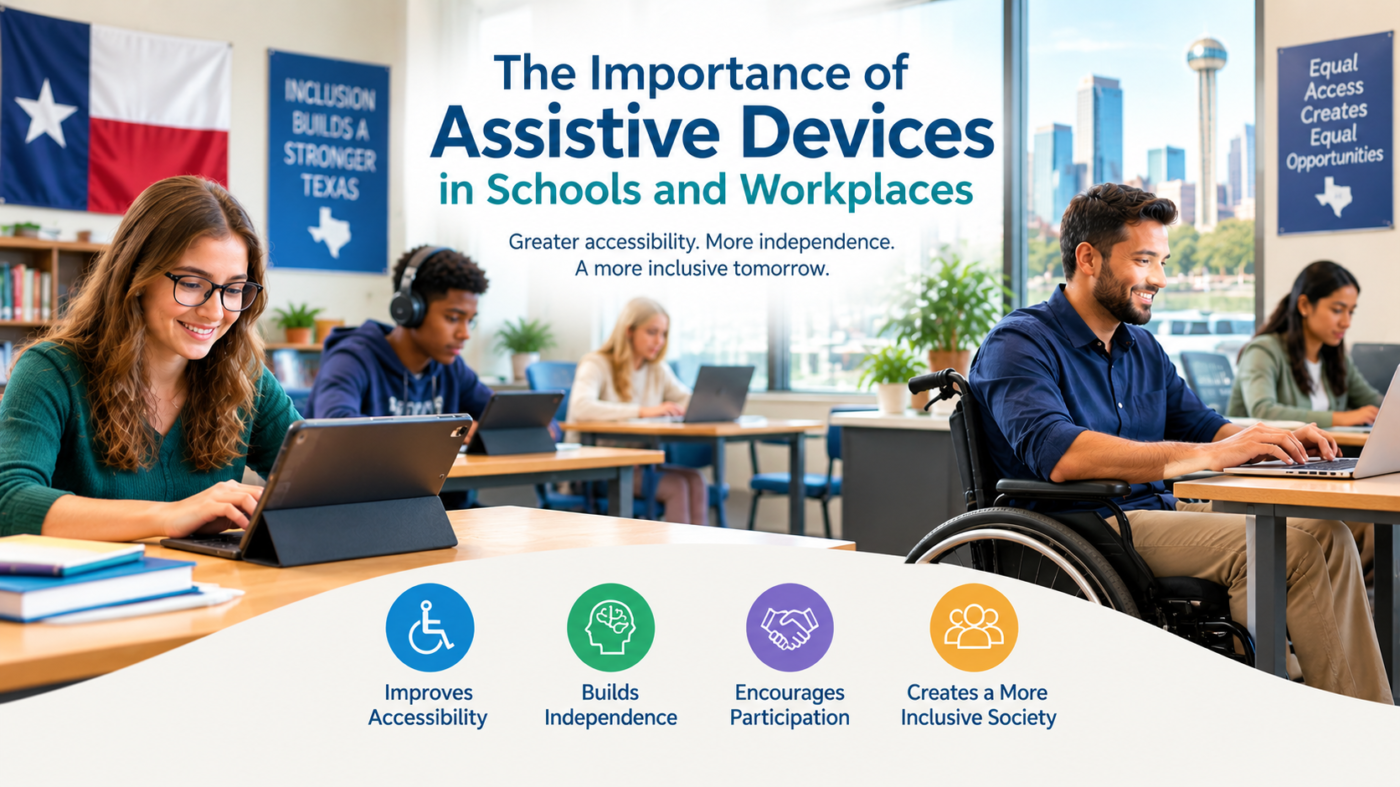
Accessibility gives people with disabilities more opportunities to learn, communicate, and work independently. The importance of assistive devices can be seen in Texas schools, colleges, offices, and remote workplaces, where the right tools can help reduce everyday barriers. At Wireless Gadgetz, accessible technology is an important consideration for people seeking solutions that support communication, learning, and independence. Common options include screen readers, hearing assistance systems, speech-to-text software, adaptive keyboards, and ergonomic equipment. Choosing the right solution can help students participate in lessons and enable employees to complete tasks more comfortably and effectively.
What Are Assistive Devices and Assistive Technology?
What are assistive devices used for in everyday activities?
Assistive devices are tools, equipment, and technologies that help people perform tasks affected by a disability or functional limitation. They may support reading, writing, communication, movement, hearing, vision, or computer use.
Low-tech solutions include adapted pens, large-print materials, and non-slip writing aids. Mid-tech options may include electronic magnifiers and simple communication equipment. High-tech solutions include screen readers, speech-generating devices, refreshable Braille displays, and specialised computer-access systems.
Assistive technology is a broader term that includes the devices, software, services, and training needed to use these solutions effectively.
Who benefits from assistive devices?
Students with physical, sensory, cognitive, or learning disabilities may use assistive technology to access educational materials and participate in classroom activities. Employees may use it to communicate with colleagues, access digital documents, or operate workplace equipment.
People with temporary injuries or age-related functional changes may also benefit. The most suitable option depends on the individual’s needs, preferences, and everyday responsibilities.
What is the difference between assistive devices and accessibility software?
Physical equipment includes adaptive keyboards, alternative mice, mobility aids, and specialised communication hardware. Accessibility software includes screen readers, magnification tools, dictation software, and captioning applications.
Some people benefit from using both. For example, a person with a visual disability may combine a Braille display with compatible screen-reading software to access digital documents.
Why Are Assistive Devices Important in Schools?
How do assistive devices support inclusive education in Texas?
Schools, colleges, and universities can use assistive technology to help students access lessons, complete assignments, and participate in classroom discussions. These tools support individual learning needs while helping students engage with educational activities.
A student who struggles with printed text may benefit from text-to-speech software. A student with limited hand movement may need an alternative input device to operate a computer. Such solutions can reduce barriers that otherwise make learning tasks difficult.
The importance of assistive devices in education is closely connected to accessibility, participation, and the opportunity to demonstrate knowledge.
How can assistive devices improve reading and writing?
Screen readers convert digital text into speech or other accessible formats. Text-to-speech tools read written material aloud, while speech-to-text software allows students to dictate assignments. Digital magnifiers and adjustable text settings can make reading easier for students with low vision.
Students with dyslexia or other learning differences may benefit from accessible e-books, text highlighting, reading guides, and word-prediction tools. Teachers should consider individual learning preferences rather than assuming one tool will work for every student.
How can students with hearing and visual disabilities be supported?
Hearing assistance systems and live captions can help students access spoken information. Students with visual disabilities may use screen magnification, high-contrast displays, screen readers, or refreshable Braille displays.
Accessible classroom materials are equally important. Teachers can provide digital documents that work with assistive technology and explain important visual information during lessons and presentations.
How do assistive devices promote independence in classrooms?
Adaptive writing tools, switches, communication devices, and accessible furniture can help students participate more independently. Augmentative and alternative communication (AAC) systems may allow students with speech difficulties to express their ideas, needs, and responses.
Schools should involve students, families, teachers, and relevant specialists when identifying suitable solutions. Where appropriate, assistive technology needs can be considered by the team developing a student’s Individualized Education Program (IEP).
What Role Do Assistive Devices Play in Modern Workplaces?
How do assistive devices create more inclusive work environments?
Accessible technology can help employees perform their responsibilities and participate in workplace activities. In Texas, this may be relevant to offices, healthcare settings, manufacturing facilities, and remote working environments.
An accessible workplace considers both digital systems and physical spaces. For example, an employee may need accessible documents as well as an adjustable workstation. Addressing these barriers can make everyday tasks more manageable.
How can assistive devices improve productivity?
Voice recognition and dictation software can help employees who find typing difficult. Screen readers and magnification tools can support access to digital information. Adaptive mice, ergonomic keyboards, and alternative input devices may improve computer access and comfort.
Task-management and communication tools can also help people organise work and collaborate with colleagues. The value of each solution depends on how well it fits the employee’s responsibilities and preferences.
How can these devices support employees with hearing, vision, or mobility disabilities?
Live captions and hearing assistance systems can improve access to conversations and meetings. Screen-reading software and magnification tools may support employees with visual disabilities. Adjustable desks and alternative controls can help employees who have difficulty using standard workstations.
Employers should discuss potential accommodations with employees and assess their needs individually.
Which assistive technology is useful for remote and hybrid employees?
Remote employees may benefit from live captions, accessible video meetings, transcription tools, keyboard navigation, and screen-reader-compatible applications. Adaptive keyboards and ergonomic equipment can also make a home office more suitable.
Before selecting equipment, organisations should check compatibility with existing applications, communication systems, and security requirements.
How do assistive devices improve employee confidence and independence?
When employees can access information and complete tasks with suitable tools, they may be better able to work independently and contribute to team projects. Assistive technology can also reduce communication barriers and make participation in meetings easier.
Employees should be involved in choosing solutions so the equipment supports their actual working needs.
What Are the Future Trends in Assistive Devices?
Future trends in assistive devices include developments in artificial intelligence, voice interaction, wearable technology, smart mobility tools, and personalised accessibility features.
AI-supported speech recognition may help people dictate text or interact with digital systems. Improvements in automatic captioning and transcription may make conversations more accessible. Wearable devices and smart sensors may also support navigation or provide useful environmental information.
Personalised interfaces can allow users to adjust text size, contrast, communication methods, and input settings to suit their preferences.
However, newer technology is not automatically the best choice. People should consider accuracy, reliability, cost, privacy, compatibility, and technical support. A simple and dependable solution may be more useful than an advanced device that is difficult to operate or maintain.
What Accessibility Laws Apply to Schools and Workplaces in Texas?
How does the Americans with Disabilities Act apply to workplaces?
The Americans with Disabilities Act (ADA) establishes disability-related protections and accessibility requirements in covered circumstances. Depending on the situation, covered employers may need to provide reasonable accommodations to qualified employees with disabilities, subject to applicable legal requirements and exceptions.
Assistive technology may be one possible accommodation. The ADA does not automatically require employers to purchase every device requested; the circumstances and applicable legal standards matter.
How does IDEA address assistive technology for students?
The Individuals with Disabilities Education Act (IDEA) addresses assistive technology devices and services for eligible students with disabilities. When required to support a student’s special education and related services, assistive technology may be considered by the IEP team.
Decisions should reflect the student’s individual educational needs. Families can discuss concerns with school staff and ask how the school evaluates potential solutions.
What is the role of Section 504 in accessible education?
Section 504 of the Rehabilitation Act protects eligible individuals with disabilities from discrimination in covered programs and activities receiving federal financial assistance. Schools may need to provide appropriate aids, services, or accommodations so eligible students can access education.
The specific support depends on the student’s circumstances and applicable requirements.
Where can Texas families find assistive technology support?
Families can begin by contacting their school’s special education department and reviewing information from the Texas Education Agency. They can ask about assessments, educational supports, and assistive technology services.
Families should confirm current services and eligibility directly with the relevant school or organisation.
How Much Do Assistive Devices Cost in Texas?
What factors influence assistive technology prices?
Prices depend on device complexity, specialised features, durability, software subscriptions, installation, training, warranty coverage, and repairs. A basic adaptive accessory may cost relatively little, while specialised communication equipment or a Braille display may require a larger investment.
Consider the total cost of ownership, including maintenance and support, rather than comparing purchase prices alone.
Are there affordable assistive devices for schools and small businesses?
Built-in accessibility features on computers, tablets, and smartphones may meet some needs without additional purchases. Examples include screen readers, magnification, voice typing, captions, and contrast settings.
Low-cost adaptive accessories and free accessibility software may also be suitable. Test these options first to confirm that they support the tasks the user needs to complete.
What funding options may be available in Texas?
Eligible students may receive assistive technology through educational services when required under applicable rules. Individuals seeking employment-related support can explore vocational rehabilitation services through the Texas Workforce Commission.
Insurance, grants, and nonprofit programmes may provide other options in some circumstances. Eligibility and funding availability vary, so confirm the current requirements before making financial commitments.
Is buying or renting assistive equipment better?
Buying may be suitable when equipment is needed regularly over a long period. Renting or borrowing can be useful for temporary needs or when a person wants to test a device before purchasing it.
Compare rental charges, purchase costs, maintenance, upgrade options, and technical support. A demonstration or trial can help users make a more informed decision.
How Do You Choose the Right Assistive Devices?
How should you identify accessibility requirements?
Start by identifying the tasks the person needs to complete and the barriers that make them difficult. These may involve reading, writing, hearing, vision, mobility, communication, or computer access.
Consult the user and, where appropriate, qualified professionals, educators, or workplace accessibility specialists. The user’s preferences should be central to the decision.
Which device features should you compare?
Consider ease of use, comfort, portability, customisation, durability, and training requirements. Look for clear instructions and controls that match the user’s abilities and preferred way of working.
Whenever possible, test the equipment in the environment where it will be used.
Why is compatibility with existing technology important?
Check whether the device works with the user’s operating system, educational platforms, workplace applications, and communication tools. Some assistive products may not function equally well with every digital system.
Schools and employers should test compatibility before purchasing equipment in bulk.
How important are warranty and technical support?
Review warranty conditions, repair options, software updates, replacement parts, and available training. Reliable technical support can reduce disruption if the device stops working or needs adjustments.
Ask about demonstrations, trial periods, and return policies before committing to a specialised purchase.
Should you choose a general-purpose or specialised device?
Built-in accessibility tools may be sufficient for some people. Others may need specialised hardware or software for communication, reading, mobility, or computer access.
The best option depends on individual requirements, functionality, compatibility, support, and budget, not price alone.
What Challenges Can People Face When Using Assistive Devices?
Why are awareness and training important?
A device may not be effective if the user does not know how to operate it. Students, teachers, employees, and IT teams may need practical training and ongoing assistance.
Clear instructions and troubleshooting support can help users get more value from their equipment.
What happens when assistive technology is incompatible?
Inaccessible websites, documents, and workplace applications can create barriers even when the user has suitable equipment. Testing devices with existing systems helps identify problems before they interfere with everyday activities.
Organisations should include accessibility when selecting and updating digital tools.
How can schools and employers manage costs and maintenance?
Plan for repairs, software licences, replacement parts, training, and future upgrades. Prioritise solutions according to assessed needs and consider the long-term costs of keeping equipment functional.
What privacy and security issues should users consider?
Speech recognition, transcription, and communication applications may process personal or confidential information. Users should review privacy settings, consent requirements, data storage practices, and organisational security policies.
Choose tools that meet the user’s accessibility requirements without overlooking data protection.
How Can Schools and Employers Implement Assistive Technology Successfully?
What should happen before buying equipment?
Identify the main accessibility barriers, consult the person who will use the device, and establish clear goals. Where necessary, arrange an assessment to determine whether a built-in feature, adaptive accessory, or specialised device is appropriate.
Why is ongoing training necessary?
Users may need support with settings, new features, and troubleshooting. Schools and employers should provide instructions, training, and access to technical assistance after equipment is introduced.
How can the impact of assistive devices be measured?
Evaluate practical outcomes such as task completion, participation, communication, access to information, and independence. Ask users whether the device is comfortable and effective, and make changes based on their feedback.
How can organisations build an accessibility-focused culture?
Encourage people to share their accessibility requirements, include accessibility in purchasing decisions, and review digital and physical environments regularly. Planning ahead can help organisations address barriers before they affect participation.
How Can Assistive Devices Make Schools and Workplaces More Accessible?
The importance of assistive devices lies in their ability to reduce barriers and support independence, communication, learning, and productivity. From accessible classroom materials to adaptive workplace equipment, suitable technology can help people participate more fully in everyday activities. As Future trends in assistive devices continue to develop, reliability, privacy, compatibility, and individual needs will remain essential considerations. Schools, employers, families, and individuals should assess requirements, compare options, and arrange appropriate training before making a purchase. To discuss suitable accessibility solutions or ask about available options, contact stapwireless through the contact page and explore the features that best match your needs.
Frequently Asked Questions About Assistive Devices
What are the most common assistive devices used in schools?
Common options include screen readers, text-to-speech tools, hearing assistance systems, AAC devices, digital magnifiers, adaptive keyboards, and accessible learning materials. The most suitable choice depends on the student’s needs.
How do assistive devices help employees in Texas workplaces?
They can support communication, computer access, reading, mobility, task completion, and participation in meetings. The right solution depends on the employee’s responsibilities and accessibility requirements.
Can Texas public schools provide assistive technology to students?
Eligible students may receive assistive technology devices or services when required to support appropriate educational access under applicable requirements. The student’s needs should be assessed individually.
Does the ADA require employers to provide assistive devices?
The ADA may require reasonable accommodations in covered circumstances, and assistive technology can be one option. Whether a particular device is required depends on the circumstances and applicable legal standards.
Are there free assistive technology options?
Yes. Built-in captions, screen readers, magnification, voice typing, and other accessibility features may be available on devices people already use. Some users may need additional equipment for more specialised requirements.
