
Stap Wireless
Speech-Generating Gadgets in Texas: A Complete Guide for First-Time Users
Nov
Communication is an essential part of everyday life, helping people express their thoughts, share their needs and build meaningful relationships. However, individuals with speech disabilities or complex communication needs may find traditional verbal communication challenging. Modern assistive technology provides practical solutions that help overcome these barriers. At Wireless Gadgetz, understanding the importance of accessible communication begins with exploring technology that supports greater independence and participation in everyday activities.
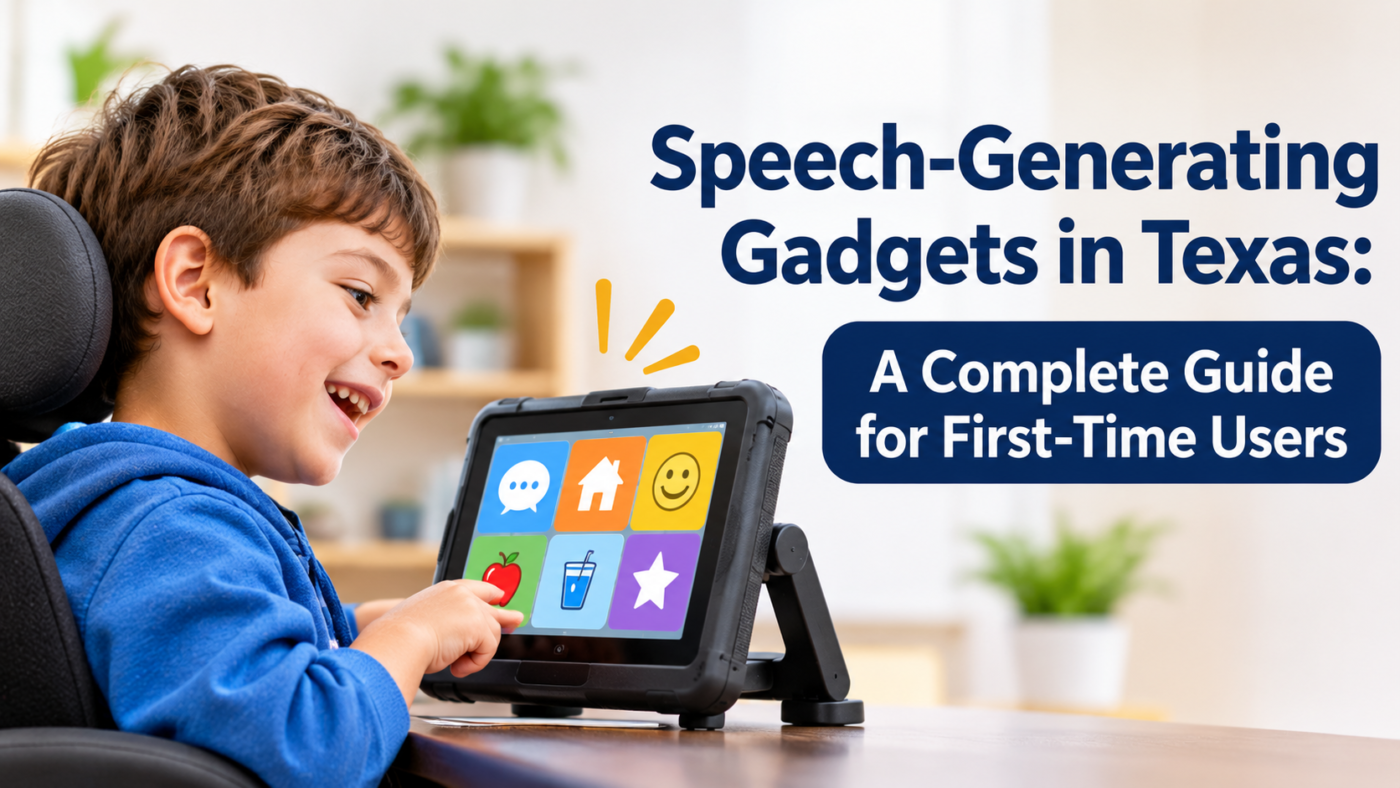
Speech-generating gadgets in Texas are becoming valuable communication solutions for children and adults who need additional support expressing themselves. These devices use Augmentative and Alternative Communication (AAC) technology to convert text, symbols, pictures or selected messages into spoken words. For first-time users and caregivers, understanding the available options, essential features and financial assistance programmes can make choosing the right device easier.
What Are Speech-Generating Devices and How Do They Work?
Speech-generating devices are assistive communication tools designed to produce spoken messages for individuals who cannot rely entirely on natural speech. Users select words, symbols, pictures or phrases through an accessible interface, and the device converts those selections into audible speech.
These devices may use touchscreen displays, physical buttons, eye-gaze technology or alternative access methods. Depending on the equipment and software, users can communicate through personalised vocabulary, pre-programmed messages and text-to-speech functionality.
How Does AAC Technology Support Everyday Communication?
Augmentative and Alternative Communication includes different methods that help people communicate when speech alone is insufficient.
AAC solutions may include:
- Picture communication boards.
- Printed communication books.
- Speech-generating applications.
- Dedicated electronic communication devices.
- Eye-gaze and switch-access systems.
The AAC communication benefits extend beyond expressing basic needs. These technologies can help individuals participate in conversations, communicate preferences, interact with family members and become more involved in educational and social environments.
Who Can Benefit from Speech-Generating Gadgets?
Speech-generating technology may support people with different communication challenges, including:
- Children with developmental disabilities.
- Individuals with autism who benefit from AAC support.
- People with cerebral palsy.
- Adults with neurological conditions affecting speech.
- Individuals recovering from strokes or brain injuries.
- People with complex communication needs.
The most suitable solution depends on individual communication abilities, physical accessibility requirements and personal preferences.
What Types of Speech-Generating Gadgets Are Available in Texas?
First-time buyers can explore several types of AAC solutions. Understanding their differences helps families identify equipment that matches their communication requirements.
Dedicated Speech-Generating Devices
Dedicated SGDs are specialised electronic communication systems designed primarily for AAC use. They often include customisable vocabulary, speech output, accessibility settings and durable hardware.
These devices may be suitable for individuals who need reliable communication support throughout the day.
Tablet-Based AAC Devices
Tablet-based solutions use communication applications installed on compatible tablets. Users can select pictures, symbols, letters and words to generate spoken messages.
Their portability and customisation options make them useful for communication at home, school and other everyday environments. However, families should evaluate software compatibility, accessibility and device durability before choosing this option.
Eye-Gaze and Switch-Accessible Devices
Some individuals have limited hand movement or difficulty operating traditional touchscreens. Eye-gaze technology allows users to select communication options by looking at specific areas of a screen.
Switch-access systems provide another option for individuals who cannot use conventional touchscreen controls. These systems can be configured according to available physical movement and accessibility requirements.
Low-Tech and Mid-Tech Communication Alternatives
Not every person requires an advanced electronic communication system. Picture boards, printed communication books and simple voice-output devices may provide sufficient support for particular situations.
These alternatives can also complement advanced AAC technology.
What Features Should First-Time Buyers Consider?
Choosing an SGD involves more than comparing device specifications. The equipment should support the user’s communication style, physical abilities and everyday activities.
Speech Quality and Language Options
Clear, understandable speech output is important for effective communication. Look for devices that provide suitable voice options, adjustable speech settings and personalised vocabulary.
English and Spanish language support may also be relevant for individuals who regularly communicate in both languages.
Accessibility and Input Methods
The interface should match the user’s physical abilities. Consider touchscreen sensitivity, button placement, eye-tracking accuracy and switch compatibility.
A professional assessment can help identify the most appropriate access method.
Vocabulary and Personalisation
A suitable communication system should allow users to express everyday needs, emotions, preferences and more complex thoughts.
Custom phrases, frequently used expressions, picture-based vocabulary and personalised categories can make communication more practical.
Battery Life and Portability
Battery performance is important for individuals who use their devices throughout the day. Consider device weight, charging requirements, protective cases and mounting accessories.
For wheelchair users, suitable mounting systems can improve accessibility and positioning.
Software Updates and Technical Support
Check whether the device receives software updates and supports necessary connectivity features. Data backup, vocabulary transfer, warranty coverage and technical assistance are also important considerations.
How Can Buyers Compare Different Speech-Generating Devices?
First-time users should compare available solutions according to functionality, accessibility and long-term suitability.
Dedicated SGD vs Tablet-Based AAC Solutions
Dedicated systems are designed specifically for communication and may offer specialised accessibility features and durable construction. Tablet-based solutions can provide flexibility through downloadable applications and customisable interfaces.
The right option depends on the user’s needs, available funding and expected daily usage.
Touchscreen vs Eye-Gaze Communication Systems
Touchscreen systems require sufficient physical control to select communication options. Eye-gaze systems may be more suitable for individuals with significant physical limitations who can reliably control the system through eye movements.
Both options require appropriate assessment and practice.
Low-Cost vs Advanced Communication Gadgets
Basic communication boards and simple voice-output devices may meet certain communication requirements. Advanced systems can provide more extensive vocabulary, alternative access methods and additional personalisation.
Families should consider long-term communication needs rather than making decisions based only on initial purchase prices.
How Much Do Speech-Generating Devices Cost in Texas?
The cost of an SGD varies according to its hardware, software and accessibility features. Basic communication alternatives may require less investment, while specialised electronic systems with advanced access technology can involve higher expenses.
Important pricing factors include:
- Device type and technical specifications.
- Communication software and licensing.
- Eye-gaze cameras and switch-access accessories.
- Custom vocabulary programming.
- Wheelchair mounting equipment.
- Training, maintenance and technical support.
Requesting demonstrations and detailed quotations can help families understand the total ownership requirements before purchasing.
Does Texas Medicaid Cover Speech-Generating Devices?
Texas Medicaid may provide coverage for medically necessary speech-generating equipment when the individual meets applicable programme requirements.
However, coverage is not automatic for every device or applicant. Eligibility, documentation and prior authorisation requirements depend on the applicable Medicaid programme and benefit guidelines.
Families may need supporting information such as:
- Medical records.
- A speech-language evaluation.
- Documentation explaining communication limitations.
- A recommendation for the proposed equipment.
- Medical necessity information.
- Required insurance or Medicaid paperwork.
A qualified speech-language pathologist can help assess communication needs and prepare supporting clinical documentation. Families should also confirm current coverage requirements with their Medicaid provider before purchasing equipment.
What HHSC and Assistive Technology Resources Are Available in Texas?
The Texas Health and Human Services Commission (HHSC) provides information about health and support services available to eligible residents. Families exploring assistive communication equipment can also investigate relevant state and community resources.
Texas Assistive Technology Program
The Texas Assistive Technology Program (TATP) helps individuals explore assistive technology options. Its resources may include device demonstrations, information about available equipment and opportunities to borrow devices for evaluation.
Trying equipment before making a purchase can help users understand which communication features work best for their needs.
Centers for Independent Living
Centers for Independent Living provide resources and support that promote independence among people with disabilities. Depending on the location and services available, individuals may receive information about assistive technology, accessibility and community resources.
School-Based AAC Support and Funding
Children attending eligible Texas schools may receive assistive technology support through the special education evaluation and Individualized Education Program (IEP) process.
School teams can evaluate communication requirements and determine whether AAC equipment is necessary for educational participation.
Parents should communicate with teachers, special education professionals, and speech-language pathologists to coordinate appropriate support.
How Does the Assessment Process Work for First-Time SGD Users?
A professional assessment helps identify communication requirements and suitable assistive technology.
Speech and Language Evaluation
A qualified speech-language pathologist evaluates the individual’s existing communication abilities, language development, and everyday communication requirements.
The assessment helps determine whether an AAC application, dedicated SGD or another communication method may be appropriate.
Physical and Cognitive Accessibility Assessment
The evaluation may also consider:
- Fine motor skills.
- Vision and hearing.
- Understanding of symbols and language.
- Touchscreen accessibility.
- Eye-gaze control.
- Switch-access requirements.
These factors help identify an interface that the individual can operate effectively.
Device Demonstrations and Trials
Testing different devices provides an opportunity to evaluate usability, speech quality, and accessibility. Families should request demonstrations and discuss trial opportunities with qualified providers.
A trial period can reveal practical challenges that may not be obvious during an initial product demonstration.
Where Can Texas Residents Find Speech-Generating Devices and AAC Support?
Several types of providers can help individuals explore communication technology.
Assistive Technology Suppliers
Specialised suppliers may offer dedicated communication devices, accessories and technical assistance. Before purchasing, compare available demonstrations, warranty conditions, maintenance services and after-sales support.
Speech Therapy Clinics and AAC Specialists
Speech-language pathologists with AAC experience can provide professional assessments, device recommendations and implementation guidance.
Their support can also help families understand how to introduce communication technology into everyday routines.
Online Purchasing and Device Demonstrations
Online suppliers can help buyers explore available equipment and compare specifications. However, families should verify product compatibility, return policies, warranty coverage and funding requirements before ordering.
Whenever possible, arrange a demonstration before making a final purchase decision.
How Can Users Learn to Operate a Speech-Generating Device?
Learning to use an SGD involves consistent practice and support from caregivers, educators and professionals.
Initial Device Configuration
The first setup may include selecting a voice, choosing language preferences, organising vocabulary and adjusting accessibility settings.
Personalised phrases and frequently used expressions can make the device easier to operate.
Training for Users and Caregivers
Users should receive guidance on selecting messages, navigating communication categories and maintaining their equipment.
Caregivers can support learning by providing opportunities for regular communication without pressuring individuals to use the device in a particular way.
Using AAC Devices at Home, School and Work
Consistent access to communication technology helps individuals participate in different environments.
At home, users can communicate with family members. In educational settings, AAC can support classroom participation and interactions with teachers. Adults may use communication devices during workplace activities, appointments and social conversations.
Maintenance and Troubleshooting
Regular maintenance helps keep communication equipment functional.
Charge the battery, install compatible software updates, back up personalised vocabulary and protect the device from physical damage. Families should also understand how to contact technical support when problems occur.
What Common Mistakes Should First-Time Buyers Avoid?
Selecting communication equipment without considering individual requirements can create unnecessary difficulties.
Common mistakes include:
- Choosing a device without a professional assessment.
- Focusing only on the initial purchase price.
- Ignoring physical accessibility requirements.
- Overlooking vocabulary customisation.
- Purchasing equipment without checking funding eligibility.
- Failing to arrange user and caregiver training.
- Not considering warranty and technical support.
Taking time to evaluate these factors can help families make more informed decisions.
Finding the Right Speech-Generating Device in Texas
Choosing suitable communication technology is an important step towards improving accessibility, independence and everyday participation. Speech-generating devices offer different features and access methods, allowing children and adults with communication difficulties to express their needs, thoughts and preferences.
Before purchasing equipment, families should arrange a professional assessment, explore device demonstrations and investigate available funding options through Texas Medicaid, insurance providers, school-based programmes and assistive technology resources.
Understanding the AAC communication benefits can also help first-time users recognise how the right communication solution supports greater independence across home, education, work and community environments. With the right guidance and equipment, individuals can develop more effective ways to communicate. Wireless Gadgetz encourages families and caregivers to explore suitable speech-generating solutions and take informed steps towards accessible, confident communication.
Frequently Asked Questions
1. What Is the Difference Between an AAC Device and an SGD?
AAC refers to a broad range of communication methods, including picture boards, communication books and electronic applications. An SGD is a specific type of AAC equipment that generates spoken messages.
2. Are Tablet-Based Speech-Generating Applications Effective?
Tablet-based applications can support communication through symbols, pictures, text and speech output. Their suitability depends on individual accessibility needs, software functionality and the user’s ability to operate the device.
3. Can Someone Use an SGD Without Speaking or Typing?
Yes. Depending on the device, users may select messages through pictures, symbols, eye-gaze technology or switch-access controls. Typing and natural speech are not required for every communication system.
4. Where Can Texas Residents Try Speech-Generating Devices Before Buying?
Residents can explore demonstration and device-loan opportunities through relevant assistive technology resources, including the Texas Assistive Technology Program. AAC specialists and equipment suppliers may also arrange demonstrations.
5. Does HHSC Provide Financial Assistance for Communication Devices?
Texas residents can investigate relevant HHSC programmes, Medicaid coverage and assistive technology resources. Eligibility and financial assistance depend on the specific programme, individual circumstances and applicable requirements.
